EnConvert — One API for Every File Conversion
This article was written at the time of EnConvert's v1 launch. Some details may have evolved — visit our docs for the latest.
Introducing EnConvert
If you've built anything of a reasonable size, you've probably hit this wall at some point.
You need to convert a webpage to a PDF. So you find a library. Then a client asks for Word-to-PDF support, so you find another one. Then someone on the team needs JSON-to-XML. Another library. Another dependency. Another thing to maintain, update, and debug when something breaks in production.
It's not that any one of those tools is bad. It's that the overhead compounds quietly, until one day you realise half your infrastructure exists just to glue conversion utilities together.
That's the problem EnConvert is built around.
What EnConvert Does
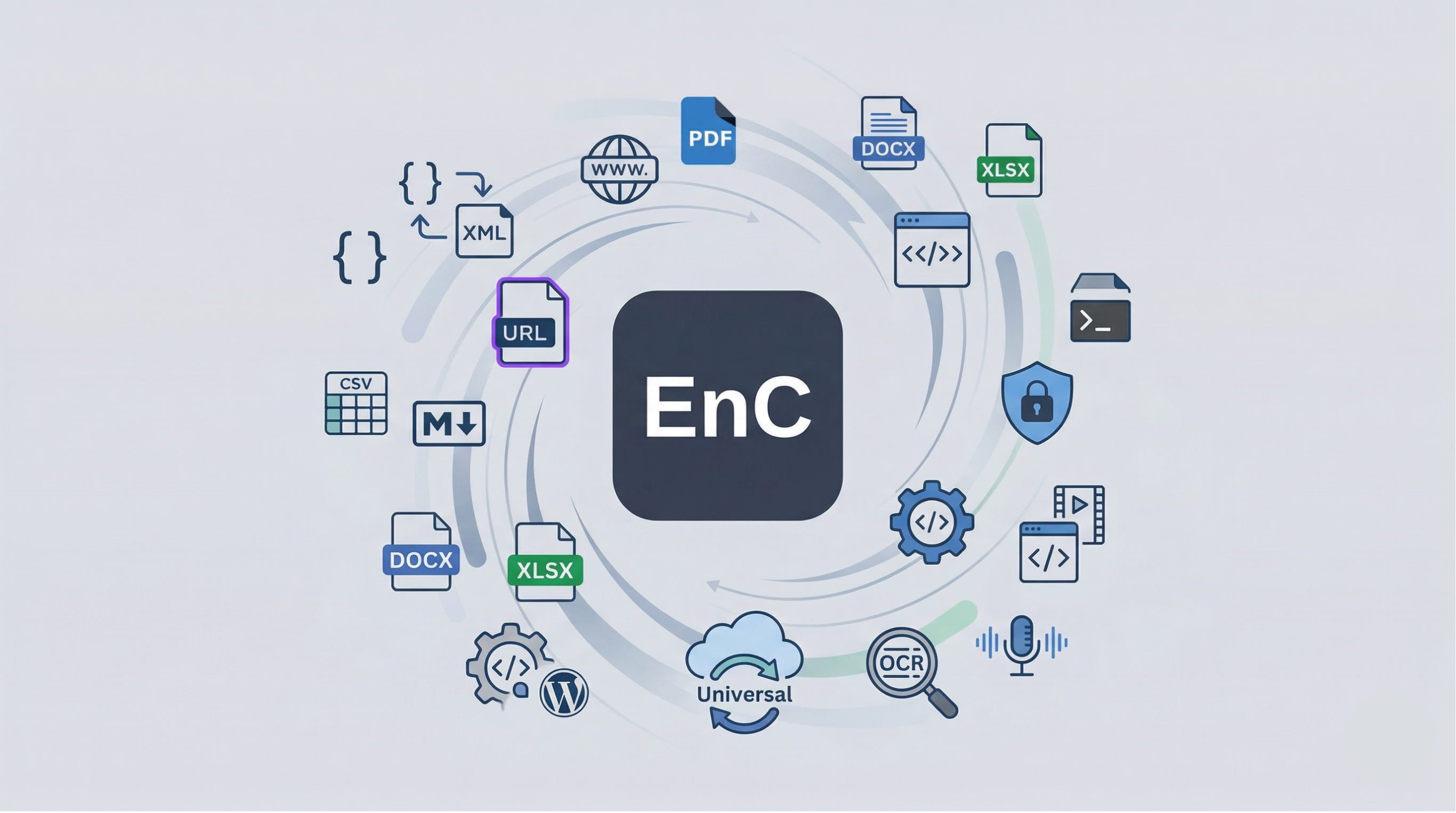
At its core, EnConvert is a cloud-based file conversion API. You send it a file or a URL, it converts it, and gives you back a download link. No servers to spin up, no libraries to install, no maintenance overhead on your end.
Here's what's available right now:
Capture the Web
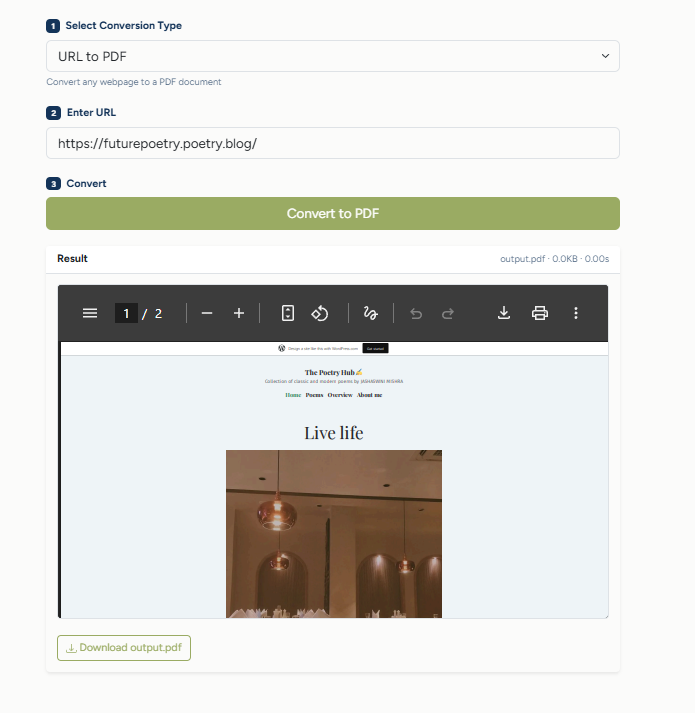
Webpage to PDF — Pass any URL and get back a clean PDF. It handles the tricky parts automatically: cookie banners, lazy-loaded images, sticky headers, infinite scrolls. The kind of edge cases that break most DIY approaches.
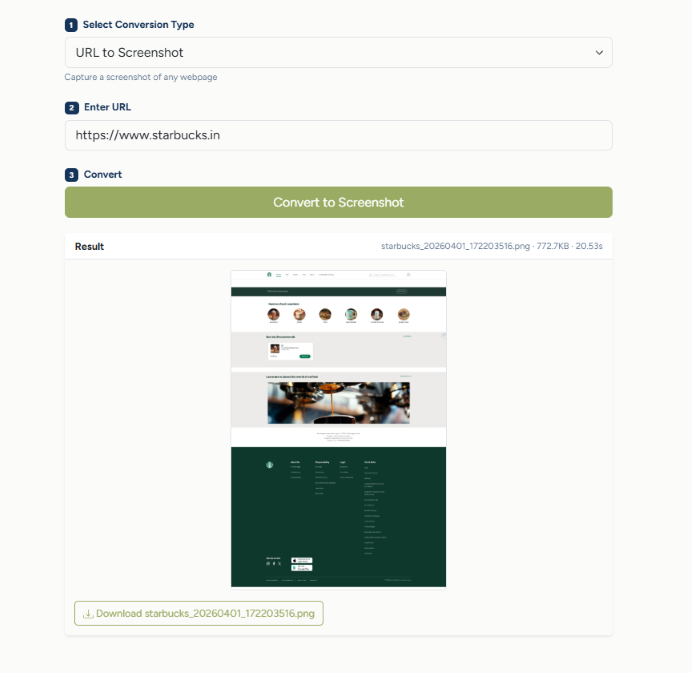
Webpage to Screenshot — Capture a full-page or viewport image of any website.
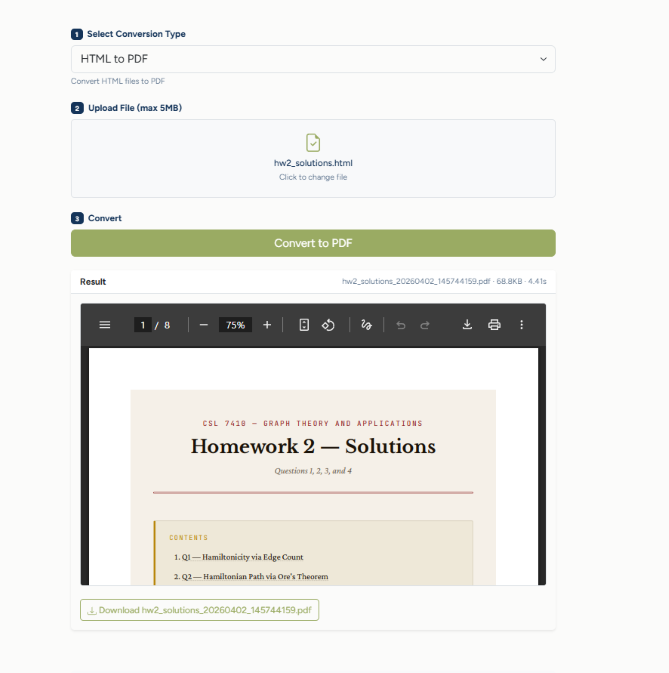
HTML to PDF — Send raw HTML or upload an HTML file and get a perfectly rendered PDF back.
Transform Data Formats
JSON to XML and XML to JSON
JSON to YAML and YAML to JSON
CSV to JSON
Markdown to HTML — Complete with syntax highlighting, table of contents, and a built-in dark/light theme toggle.
Convert Documents
Word (DOCX) to PDF
Excel (XLSX) to PDF
Markdown to PDF
This is just the beginning. Image conversions, OCR, video processing, and speech-to-text are already on the roadmap.
Works Everywhere You Build
EnConvert isn't locked to a single context. Whether you're writing server-side code, building a frontend app, or running a WordPress site, there's a path that fits.
From Your Server
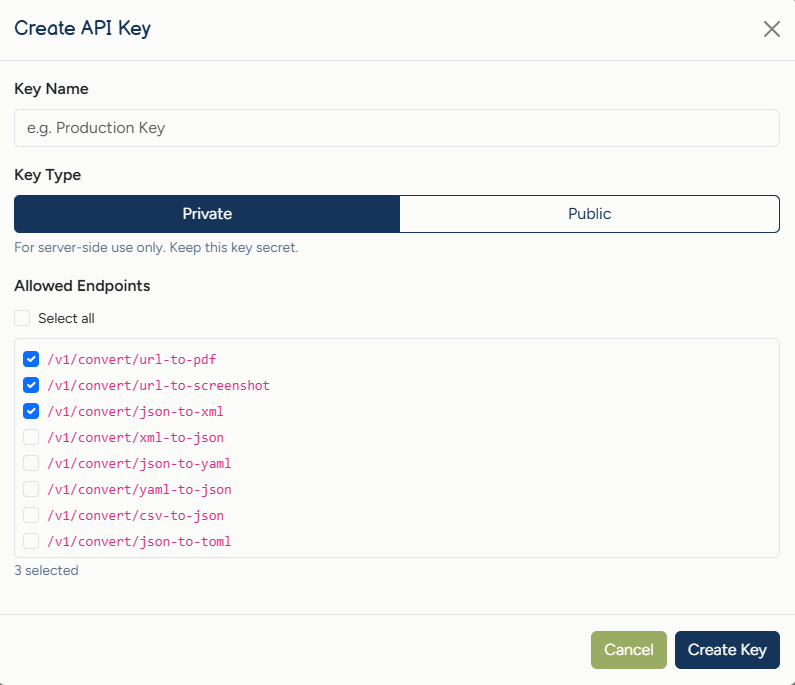
If you're building a backend application, you get a straightforward experience. Generate a private API key from the dashboard, include it in your request header, and you can start converting files from any backend: Python, Node.js, PHP, Java, Swift, Kotlin, or plain cURL. It's a standard HTTP request.
From Your Website or Web App
If you need conversions in the browser, public API keys are designed specifically for client-side use. They're locked to domains you specify and restricted to the endpoints you've approved, so even though the key is visible in your frontend code, it can't be misused outside those constraints. Bot protection is built in through Cloudflare Turnstile, so you don't have to worry about abuse.
From Your WordPress Site (or Any Website)
This is where it gets really easy. From the dashboard, you can generate an embeddable widget, an iframe snippet you paste into any page. Drop it into a WordPress Custom HTML block, a Squarespace embed, or raw HTML.
Your visitors get a working conversion tool directly on your page, without you writing a single line of backend code.
The widget is fully customizable too. Match your site's look by adjusting background color, text color, button styling, border radius, font, and padding, all through simple URL parameters.
From the Playground
Not sure if EnConvert is right for you? Try it before you commit. Our interactive Playground lets you test every conversion endpoint live enter a URL, upload a file, and see the result instantly. No account needed to explore.
From Browser Extensions
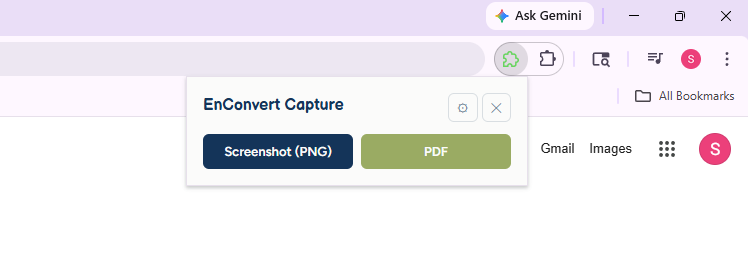
There's also a Chromium & Firefox extension: EnConvert - Full Page Capture. It puts URL-to-PDF and screenshot conversion one click away while you're browsing. You don't need to open a dashboard or write any code; just click the extension icon on any page and choose your format.
It currently supports URL to PDF and URL to Screenshot, with more endpoints on the way.
Your Dashboard: Everything in One Place
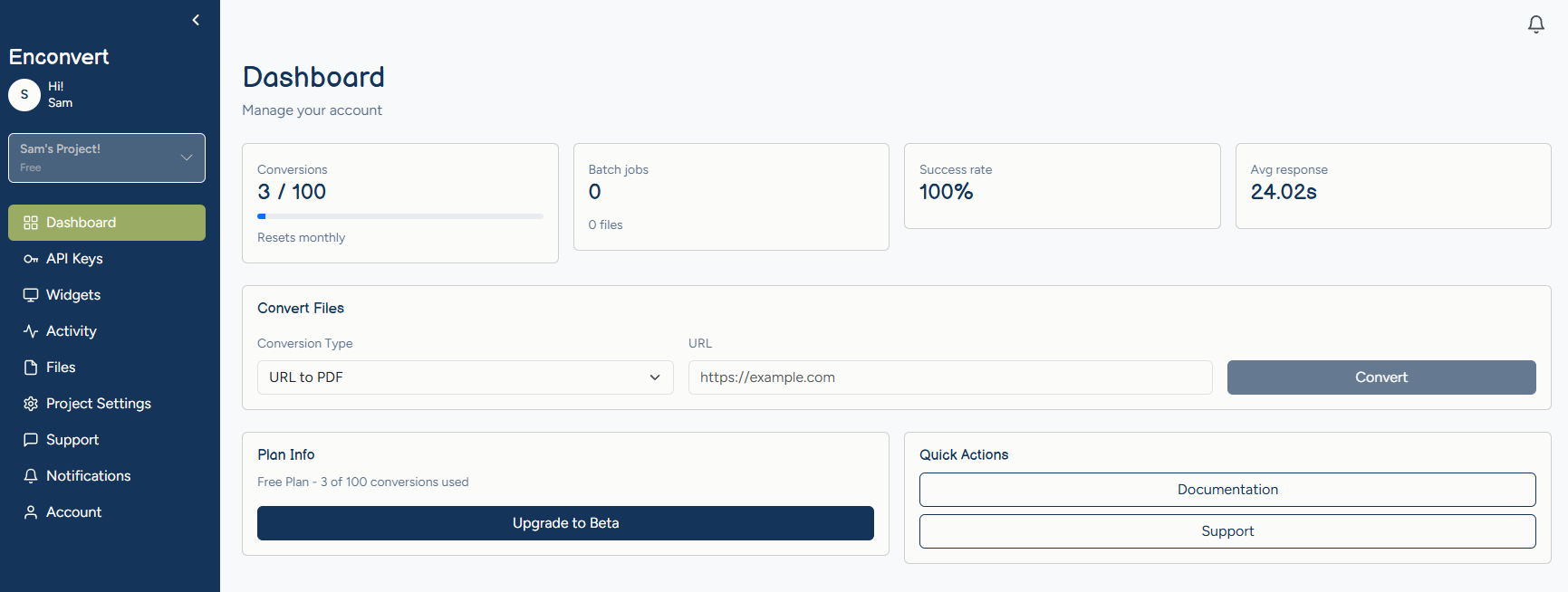
Once you sign up, you get access to a full-featured dashboard where you can manage every aspect of your conversions:
Overview: See your stats at a glance: total jobs, files created, success rate, and average response time.
API Keys: Create and manage private keys (for servers) and public keys (for websites). For public keys, you define exactly which domains and which conversion types are allowed.
Widgets: Create embeddable conversion widgets, copy the ready-made embed code, and deploy them on any site.
Files: Browse all your converted files in one place. Download, rename, delete, or perform bulk operations. Every file is stored securely with expiring download links.
Activity Log: A full history of every conversion: which endpoint was used, input and output file sizes, how long it took, and whether it succeeded.
Notifications: Stay informed about your conversion jobs, account activity, and important updates.
Support Tickets: Need help? Open a ticket right from the dashboard, attach files, and chat with our support team in real time.
Built for Teams
EnConvert isn't just for solo developers. You can create projects, invite team members by email, and assign roles. Each project has its own API keys, files, activity history, and settings, so your team can collaborate without stepping on each other's toes.
Switching between projects is instant. And when someone on your team generates an API key or runs a conversion, it's all tracked under the shared project.
Reliable by Design
Long-running jobs don't time out. Some conversions, like rendering a JavaScript-heavy page to PDF, take longer than a standard API timeout allows. If a job doesn't finish immediately, EnConvert moves it to background processing automatically and delivers the result when it's ready.
Webhooks for automated workflows. Provide a callback URL and receive a POST request when your conversion finishes, including download links and per-file success/failure counts for batch jobs.
Email notifications. Prefer not to manage webhooks? EnConvert can send you a summary when jobs complete, with direct download links.
Bot protection built in. Every public key and widget request goes through Cloudflare Turnstile. Keys are domain-locked and endpoint-restricted.
Expiring download links. Converted files don't stay publicly accessible indefinitely; links expire, so nothing lingers longer than it needs to.
Pricing
We believe conversion should be accessible to everyone:
Free: Get started with limited conversions and 1-hour file storage. Perfect for testing and small projects.
Starter: This is one of the most popular and highly demandable as it is perfect for growing teams with advance needs
Pro & Business: Higher rate limits, larger file sizes, and longer storage for production workloads.
Enterprise: Custom pricing with unlimited conversions for teams that need it all.
You can explore our plans on the pricing page after signing up.
What's on the Roadmap
EnConvert is still early. Here's what's coming:
Image format conversions (PNG, JPG, WebP, TIFF, SVG, and more)
Thumbnail generation from documents and images
OCR: extracting text from scanned documents
Video format conversion and compression
Speech-to-text and text-to-speech
Additional document formats (Pages, ODT, and beyond)
Where to Start
If you want to try it before doing anything else, the Playground requires no account. Pick a conversion, test it, and see if the output is what you need.
If you're ready to integrate, signing up takes a couple of minutes, and your first API call is a single HTTP request. Sign up for free and run your first conversion today.
Have questions? Check out our FAQ and Contact page, or open a support ticket right from your dashboard, we're here to help.