Web content extraction API: what each perceive output gives you
When we measured the 13 August markdown release, one notebook page dropped 94% once its embedding vectors were truncated. An output cell had printed them as plain text, and every number landed in our markdown.
Nothing was broken. The converter kept what was on the page, and no model needs a raw embedding vector in its context, so a web content extraction API has to decide what to leave out.
That truncation is the truncate_data_arrays option (changelog). A run of 64 or more comma-separated numbers collapses to its first 16 values plus a count ... [truncated <dropped> of <total> values]), inside code fences too, since notebook output cells become fenced blocks. Unset, it follows only_main_content, which defaults to true. On the default main-content path, if the tidy pass cuts the markdown by more than half, warnings says so. "truncate_data_arrays": false brings the numbers back.
The page was LlamaIndex's Pinecone metadata-filter example, which has since moved to developers.llamaindex.ai and still prints those vectors. I read it twice on 8 October 2026, at about 12:02 UTC. With truncate_data_arrays unset, the markdown came back at 10,971 bytes with one warning: "long numeric data arrays were truncated in the markdown (set truncate_data_arrays=false to keep them in full)." With "truncate_data_arrays": false it came back at 167,735 bytes with no warnings, so the default file is 93.5% smaller. Both files have 283 lines, because truncation shortens lines and never drops them. Lines 196 to 205 of the default file, unedited:
INFO:httpx:HTTP Request: POST https://api.openai.com/v1/embeddings "HTTP/1.1 200 OK"
HTTP Request: POST https://api.openai.com/v1/embeddings "HTTP/1.1 200 OK"

[NodeWithScore(node=TextNode(id_='7fed3d0b-e2d7-432a-9231-3ac02130c00f', embedding=[0.00310940156, -0.0246712118, -0.0222742166, -0.0364649445, -0.00715911388, 0.0117236068, -0.0400604382, -0.0275654588, -0.0157589763, 0.00740136392, 0.0278459582, 0.029962454, 0.0187679715, -0.00440511806, 0.00412780605, 0.00442743069, ... [truncated 1520 of 1536 values]], metadata={'director': 'Christopher Nolan', 'theme': 'Fiction', 'year': 2010}, excluded_embed_metadata_keys=[], excluded_llm_metadata_keys=[], relationships={}, hash='7937eb153ccc78a3329560f37d90466ba748874df6b0303b3b8dd3c732aa7688', text='Inception', start_char_idx=None, end_char_idx=None, text_template='{metadata_str}\n\n{content}', metadata_template='{key}: {value}', metadata_seperator='\n'), score=0.317687511),
 NodeWithScore(node=TextNode(id_='6b7bdb44-9dc2-48f6-b9cb-05dcaea4889b', embedding=[0.0131883333, -0.0137667693, -0.0396421254, -0.00729471678, -0.0107653309, 0.0171731133, -0.0282276608, -0.0507480912, -0.0210422054, -0.01610622, 0.0254768785, 0.0143452045, 0.0170060098, 0.00128059229, -0.0103797065, -0.000858012936, ... [truncated 1520 of 1536 values]], metadata={'author': 'J.K. Rowling', 'theme': 'Fiction', 'year': 1997}, excluded_embed_metadata_keys=[], excluded_llm_metadata_keys=[], relationships={}, hash='1b24f5e9fb6f18cc893e833af8d5f28ff805a6361fc0838a3015c287510d29a3', text="Harry Potter and the Sorcerer's Stone", start_char_idx=None, end_char_idx=None, text_template='{metadata_str}\n\n{content}', metadata_template='{key}: {value}', metadata_seperator='\n'), score=0.467440248)]
The same ten lines with truncation off. I've cut lines 202 and 203 after their first 12 values, and the marker at each cut gives the full length of the line:
INFO:httpx:HTTP Request: POST https://api.openai.com/v1/embeddings "HTTP/1.1 200 OK"
HTTP Request: POST https://api.openai.com/v1/embeddings "HTTP/1.1 200 OK"

[NodeWithScore(node=TextNode(id_='7fed3d0b-e2d7-432a-9231-3ac02130c00f', embedding=[0.00310940156, -0.0246712118, -0.0222742166, -0.0364649445, -0.00715911388, 0.0117236068, -0.0400604382, -0.0275654588, -0.0157589763, 0.00740136392, 0.0278459582, 0.029962454, [cut here: this line is 23,188 characters long]
 NodeWithScore(node=TextNode(id_='6b7bdb44-9dc2-48f6-b9cb-05dcaea4889b', embedding=[0.0131883333, -0.0137667693, -0.0396421254, -0.00729471678, -0.0107653309, 0.0171731133, -0.0282276608, -0.0507480912, -0.0210422054, -0.01610622, 0.0254768785, 0.0143452045, [cut here: this line is 23,173 characters long]
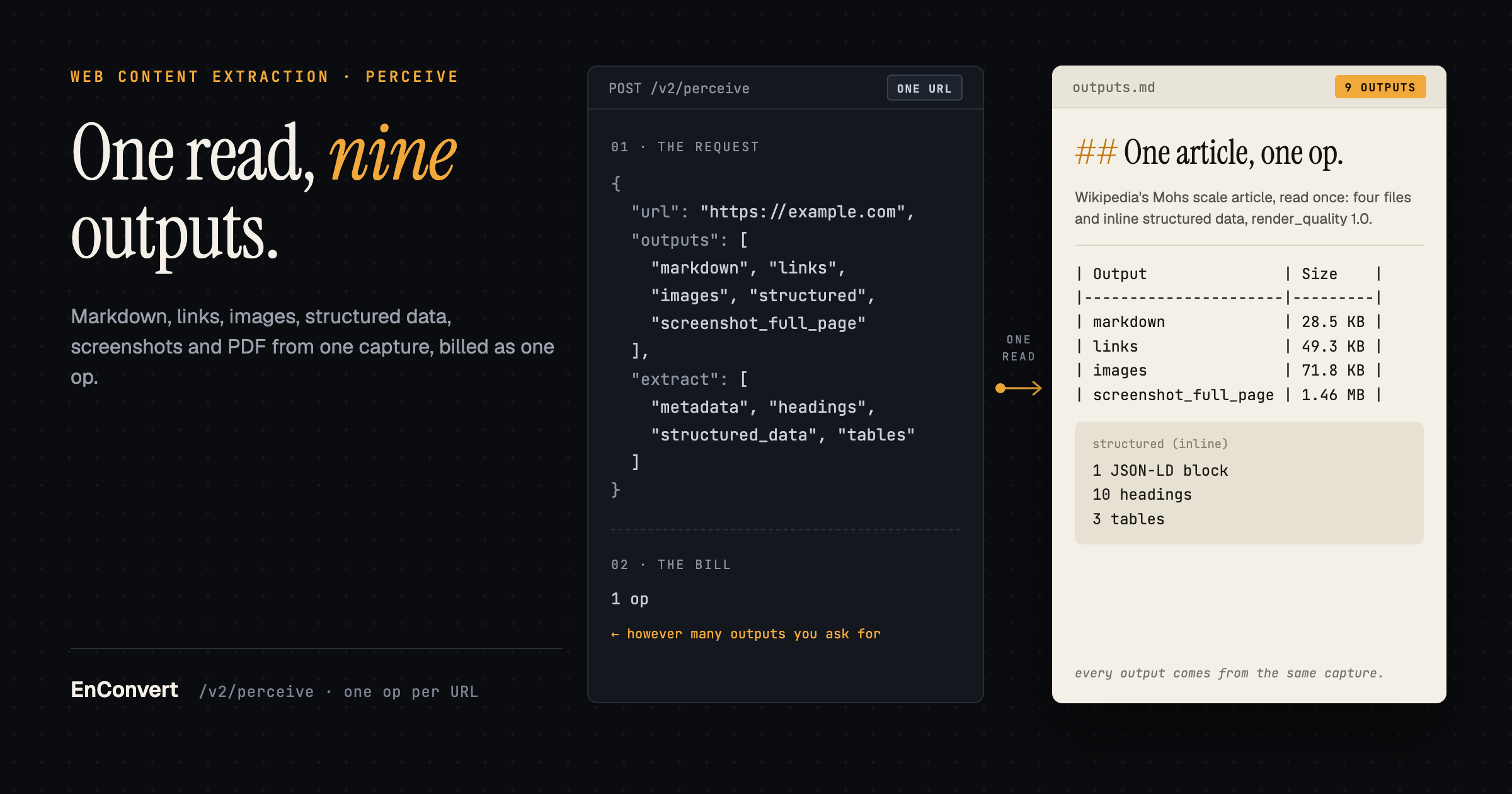
EnConvert's /v2/perceive is a web content extraction API for agents. You send a URL, and from one capture of the page you can take markdown, cleaned or raw HTML, a link map, an image list, structured metadata, a screenshot and a PDF, plus a render_quality score that says how far to trust the capture. It's one op per URL however many outputs you ask for. Perceive is generally available, and the beta label sits on the API as a whole.
The markdown side has its own post, and Krystin covered raw versus clean text in How to extract clean web content for RAG pipelines and LLM agents . I'll stick to the other eight outputs.
Nine outputs from one web content extraction API call
curl -X POST https://api.enconvert.com/v2/perceive \
  -H "X-API-Key: $ENCONVERT_API_KEY" \
  -H "Content-Type: application/json" \
  -d '{
    "url": "https://example.com",
    "outputs": ["markdown", "links", "images", "structured", "screenshot_full_page"],
    "extract": ["metadata", "structured_data", "headings", "tables"]
  }'
File outputs come back as signed URLs under outputs.<name>.url. structured is inline in the JSON. To try it before writing code, use the keyless Perceive tab in the playground .
Here is that request against Wikipedia's Mohs scale article, which has JSON-LD and three real data tables, captured on 8 October 2026 at about 12:05 UTC. I added "cache_mode": "bypass" so the read was fresh. I've cut the signed URLs' query strings, the options_echo block, and all but the first three rows of each table. Nothing else is changed:
{
  "operation_id": "per_b7adc935f535448fa4c51b890ef00432",
  "status": "completed",
  "url": "https://en.wikipedia.org/wiki/Mohs_scale",
  "url_final": "https://en.wikipedia.org/wiki/Mohs_scale",
  "content_hash": "376e1f880669317c7f5183636f23f34a8a9aebd9bbf8f5e289c546459b3ad0c9",
  "status_code": 200,
  "render_quality": 1.0,
  "deductions": {},
  "is_blocked": false,
  "billed": true,
  "options_echo": { ... },
  "cache_hit": false,
  "outputs": {
    "markdown": {
      "url": "https://nyc3.digitaloceanspaces.com/econverter/live/files/1/v2-perceive/per_b7adc935f535448fa4c51b890ef00432_markdown.md?[signed query string cut]",
      "object_key": "live/files/1/v2-perceive/per_b7adc935f535448fa4c51b890ef00432_markdown.md",
      "size_bytes": 28520,
      "content_type": "text/markdown; charset=utf-8",
      "expires_in": 900
    },
    "links": {
      "url": "https://nyc3.digitaloceanspaces.com/econverter/live/files/1/v2-perceive/per_b7adc935f535448fa4c51b890ef00432_links.json?[signed query string cut]",
      "object_key": "live/files/1/v2-perceive/per_b7adc935f535448fa4c51b890ef00432_links.json",
      "size_bytes": 49345,
      "content_type": "application/json",
      "expires_in": 900
    },
    "images": {
      "url": "https://nyc3.digitaloceanspaces.com/econverter/live/files/1/v2-perceive/per_b7adc935f535448fa4c51b890ef00432_images.json?[signed query string cut]",
      "object_key": "live/files/1/v2-perceive/per_b7adc935f535448fa4c51b890ef00432_images.json",
      "size_bytes": 71784,
      "content_type": "application/json",
      "expires_in": 900
    },
    "screenshot_full_page": {
      "url": "https://nyc3.digitaloceanspaces.com/econverter/live/files/1/v2-perceive/per_b7adc935f535448fa4c51b890ef00432_screenshot_full_page.png?[signed query string cut]",
      "object_key": "live/files/1/v2-perceive/per_b7adc935f535448fa4c51b890ef00432_screenshot_full_page.png",
      "size_bytes": 1460161,
      "content_type": "image/png",
      "expires_in": 900
    }
  },
  "structured": {
    "metadata": {
      "title": "Mohs scale - Wikipedia",
      "description": null,
      "keywords": null,
      "author": null,
      "og:image": "https://thumb.wikimedia.org/wikipedia/commons/thumb/f/fd/Mohssche-haerteskala_hg.jpg/960px-Mohssche-haerteskala_hg.jpg?utm_source=en.wikipedia.org&utm_campaign=index&utm_content=thumbnail",
      "og:image:width": "908",
      "og:image:height": "1200",
      "og:title": "Mohs scale - Wikipedia",
      "og:type": "website"
    },
    "structured_data": [
      {
        "@context": "https://schema.org",
        "@type": "Article",
        "name": "Mohs scale",
        "url": "https://en.wikipedia.org/wiki/Mohs_scale",
        "sameAs": "http://www.wikidata.org/entity/Q41472",
        "mainEntity": "http://www.wikidata.org/entity/Q41472",
        "author": {
          "@type": "Organization",
          "name": "Contributors to Wikimedia projects"
        },
        "publisher": {
          "@type": "Organization",
          "name": "Wikimedia Foundation, Inc.",
          "logo": {
            "@type": "ImageObject",
            "url": "https://www.wikimedia.org/static/images/wmf-hor-googpub.png"
          }
        },
        "datePublished": "2001-11-06T03:42:32Z",
        "dateModified": "2026-08-28T13:41:17Z",
        "image": "https://upload.wikimedia.org/wikipedia/commons/f/fd/Mohssche-haerteskala_hg.jpg?utm_source=en.wikipedia.org&utm_campaign=index&utm_content=original",
        "headline": "qualitative ordinal scale characterizing scratch resistance of various minerals"
      }
    ],
    "headings": [
      {
        "level": 2,
        "text": "Contents"
      },
      {
        "level": 1,
        "text": "Mohs scale"
      },
      {
        "level": 2,
        "text": "Reference minerals"
      },
      {
        "level": 2,
        "text": "Examples"
      },
      {
        "level": 2,
        "text": "Use"
      },
      {
        "level": 2,
        "text": "Comparison with Vickers scale"
      },
      {
        "level": 2,
        "text": "Footnotes"
      },
      {
        "level": 2,
        "text": "See also"
      },
      {
        "level": 2,
        "text": "References"
      },
      {
        "level": 2,
        "text": "Further reading"
      }
    ],
    "tables": [
      {
        "headers": [
          "Mohshardness",
          "Referencemineral",
          "Chemical formula",
          "Absolutehardness[14]",
          "Example image"
        ],
        "rows": [
          [
            "1",
            "Talc",
            "Mg3Si4O10(OH)2",
            "1",
            ""
          ],
          [
            "2",
            "Gypsum",
            "CaSO4·2H2O",
            "2",
            ""
          ],
          [
            "3",
            "Calcite",
            "CaCO3",
            "14",
            ""
          ],
          ... 7 more rows cut
        ],
        "caption": "",
        "summary": "",
        "metadata": {
          "row_count": 10,
          "column_count": 5,
          "has_headers": true,
          "has_caption": false,
          "has_summary": false,
          "id": "mwfg",
          "class": "wikitable sortable jquery-tablesorter"
        }
      },
      {
        "headers": [
          "Hardness",
          "Substance"
        ],
        "rows": [
          [
            "0.2–0.4",
            "Potassium[15]"
          ],
          [
            "0.5–0.6",
            "Lithium[15]"
          ],
          [
            "1",
            "Talc"
          ],
          ... 29 more rows cut
        ],
        "caption": "",
        "summary": "",
        "metadata": {
          "row_count": 32,
          "column_count": 2,
          "has_headers": true,
          "has_caption": false,
          "has_summary": false,
          "id": "mwARw",
          "class": "wikitable"
        }
      },
      {
        "headers": [
          "Mineralname",
          "Hardness (Mohs)",
          "Hardness (Vickers)(kg/mm2)"
        ],
        "rows": [
          [
            "Tin",
            "1.5",
            "VHN10 = 7–9"
          ],
          [
            "Bismuth",
            "2–2.5",
            "VHN100 = 16–18"
          ],
          [
            "Gold",
            "2.5",
            "VHN10 = 30–34"
          ],
          ... 14 more rows cut
        ],
        "caption": "",
        "summary": "",
        "metadata": {
          "row_count": 17,
          "column_count": 3,
          "has_headers": true,
          "has_caption": false,
          "has_summary": false,
          "id": "mwAeo",
          "class": "wikitable"
        }
      }
    ]
  },
  "extraction_tier": "heuristic",
  "tokens": {
    "input": 0,
    "output": 0
  },
  "cost_cents": 0.0,
  "duration_ms": 36254,
  "error": null,
  "warnings": []
}
Output | What You Get |
|---|---|
| Main content by default. Image URLs become alt text, except when the Readability candidate wins |
| Crawl4AI's cleaned HTML, with nav, header and footer still in it |
| The HTML as captured (rendered DOM, or the fast fetch's HTML) |
| Object with |
| List of |
| Inline JSON: metadata, JSON-LD, headings, tables, main content |
| Viewport PNG, 1920 x 1080 by default |
| Full-height PNG |
| One continuous page, or paginated with |
links, images, html_cleaned, metadata and tables come from the scraper in Crawl4AI, the open-source crawler our render runs on, and the filtering in the next two sections is theirs. We add the render_quality score and choose which of their fields reach you.
The links file
Each entry in internal and external has href, text, title and base_domain. base_domain is the domain with its subdomains dropped, the page's for internal links and the target's for external ones. Read from docs.python.org, a link to blog.python.org counts as internal to python.org. A crawler can walk internal and just log external, filtering by host first if it should stay on one subdomain.
The list covers the whole page whatever only_main_content says, nav and footer included. Entries are de-duplicated by resolved URL and the earliest anchor on the page wins, so a link in the nav before the article keeps its nav text. On the Mohs scale page, the first five internal entries are all page chrome (a skip link and four sidebar links), and the first two external ones are a donation link and a photography-contest banner. Unedited:
{"href": "https://en.wikipedia.org/wiki/Mohs_scale", "text": "Jump to content", "title": "", "base_domain": "wikipedia.org"}
{"href": "https://en.wikipedia.org/wiki/Main_Page", "text": "Main page", "title": "Visit the main page [alt-z]", "base_domain": "wikipedia.org"}
{"href": "https://en.wikipedia.org/wiki/Wikipedia:Contents", "text": "Contents", "title": "Guides to browsing Wikipedia", "base_domain": "wikipedia.org"}
{"href": "https://en.wikipedia.org/wiki/Portal:Current_events", "text": "Current events", "title": "Articles related to current events", "base_domain": "wikipedia.org"}
{"href": "https://en.wikipedia.org/wiki/Special:Random", "text": "Random article", "title": "Visit a randomly selected article [alt-x]", "base_domain": "wikipedia.org"}

{"href": "https://donate.wikimedia.org/?uselang=en&wmf_campaign=en.wikipedia.org&wmf_medium=sidebar&wmf_source=donate", "text": "Donate", "title": "", "base_domain": "wikimedia.org"}
{"href": "https://commons.wikimedia.org/wiki/Commons:Wiki_Loves_Monuments_2026_in_the_United_States", "text": "Photograph a historic site, help Wikipedia, and win a prize. Participate in the world's largest photography competition this month!\n                Learn more", "title": "", "base_domain": "wikimedia.org"}
{"href": "https://www.wikidata.org/wiki/Special:EntityPage/Q41472", "text": "Edit links", "title": "Edit interlanguage links", "base_domain": "wikidata.org"}
{"href": "https://commons.wikimedia.org/wiki/Category:Mohs_scale", "text": "Wikimedia Commons", "title": "", "base_domain": "wikimedia.org"}
{"href": "https://upload.wikimedia.org/wikipedia/commons/transcoded/1/16/En-us-Mohs.ogg/En-us-Mohs.ogg.mp3", "text": "", "title": "Play audio", "base_domain": "wikimedia.org"}
If I only wanted the article's links I'd read them from the markdown, which keeps them inline. And if JavaScript injects links after load, pass a wait_for selector that only appears once they exist (that also forces the Chrome render).
Images and what Crawl4AI drops
Crawl4AI filters images before you see it. It drops anything that looks like an icon, logo or button (judged by the parent's class, the src or the alt), images sitting directly in a <button>, inline display:none and data: URIs. It scores the rest, a point each for a width attribute over 150, a height attribute over 150, alt text, sitting in the earlier half of the page's images, a recognisable image format in the URL, a srcset, and a <picture> parent. Three points gets an image in. An image low on the page with no size attributes, no alt and no srcset doesn't make it.
A responsive image appears once per candidate URL (the src plus each srcset entry, with width from its w descriptor). We don't pass Crawl4AI's group id through, so grouping the variants is on you. They share alt and desc.
On the Mohs scale page, the 14 entries in images.json are 7 pictures at two sizes each. Every src starts with // rather than https:, because that's how Wikipedia writes them, so resolve each one against the page's scheme before you fetch it. desc is Crawl4AI's guess at the text around the image. For the talc photo inside the minerals table it's that table row, and for 6 of the 14 entries it's 10,804 characters of the article itself. The first five entries, with the four long desc values cut:
{"src": "//thumb.wikimedia.org/wikipedia/commons/thumb/f/fd/Mohssche-haerteskala_hg.jpg/250px-Mohssche-haerteskala_hg.jpg?utm_source=en.wikipedia.org&utm_campaign=parser&utm_content=thumbnail", "alt": "Open wooden box with ten compartments, each containing a numbered mineral specimen.", "desc": "From Wikipedia, the free encyclopedia [cut here: this desc is 10,804 characters long]", "format": "jpg"}
{"src": "//thumb.wikimedia.org/wikipedia/commons/thumb/f/fd/Mohssche-haerteskala_hg.jpg/500px-Mohssche-haerteskala_hg.jpg?utm_source=en.wikipedia.org&utm_campaign=parser&utm_content=thumbnail", "alt": "Open wooden box with ten compartments, each containing a numbered mineral specimen.", "desc": "From Wikipedia, the free encyclopedia [cut here: this desc is 10,804 characters long]", "format": "jpg"}
{"src": "//thumb.wikimedia.org/wikipedia/commons/thumb/5/53/Mohs_scale_vs_absolute_hardness.png/250px-Mohs_scale_vs_absolute_hardness.png?utm_source=en.wikipedia.org&utm_campaign=parser&utm_content=thumbnail", "alt": "", "desc": "From Wikipedia, the free encyclopedia [cut here: this desc is 10,804 characters long]", "format": "png"}
{"src": "//upload.wikimedia.org/wikipedia/commons/5/53/Mohs_scale_vs_absolute_hardness.png?utm_source=en.wikipedia.org&utm_campaign=parser&utm_content=thumbnail_unscaled", "alt": "", "desc": "From Wikipedia, the free encyclopedia [cut here: this desc is 10,804 characters long]", "format": "png"}
{"src": "//thumb.wikimedia.org/wikipedia/commons/thumb/f/fd/Talc_block.jpg/120px-Talc_block.jpg?utm_source=en.wikipedia.org&utm_campaign=parser&utm_content=thumbnail", "alt": "", "desc": "1\nTalc\nMg3Si4O10(OH)2\n1", "format": "jpg"}
None of this reads pixels. EnConvert has no OCR. Text inside an image (chart labels, a price table saved as a PNG) never reaches the markdown.
Structured data without a model
With structured in outputs and no extract list you get metadata and structured_data. metadata is the page's <head> as Crawl4AI reads it: title, description, keywords, author, and the og:, twitter: and article: meta tags it finds there. structured_data is every JSON-LD block on the page in a single list (broken blocks are skipped and arrays are flattened). JSON-LD is what the site published for machines to read. Look there before you scrape a visible price.
Add headings for [{level, text}] in DOM order, and tables for {headers, rows, caption, summary, metadata} on each <table> Crawl4AI scores as data rather than layout. main_content puts the main-content markdown inline, cut at 50,000 characters with a warning.
prices, contacts and technologies are reserved names that aren't live. Ask for one and you get a line in warnings and nothing in structured. Named fields from pages you've never seen are the schema option. It's an LLM pass, only on paid plans, and the LLM web scraping post covers it.
Screenshots and PDFs
Use a screenshot when the layout carries the meaning. A pricing grid built from <div> cards can lose its columns in markdown, and tables won't see it because it isn't a <table>. Charts and forms have the same problem.
screenshot is the viewport, 1920 x 1080 unless you pass viewport. mobile: true makes it 390 x 844 if you haven't set one. screenshot_full_page measures how tall the page is and sets the viewport to that height before it captures. That measurement has been clamped at 25,000 px since 3 August. Infinite-scroll pages report heights of 50,000 px and up, and a full-page raster is width times height times 4 bytes in one allocation (1920 x 50,000 x 4 is 384 MB).
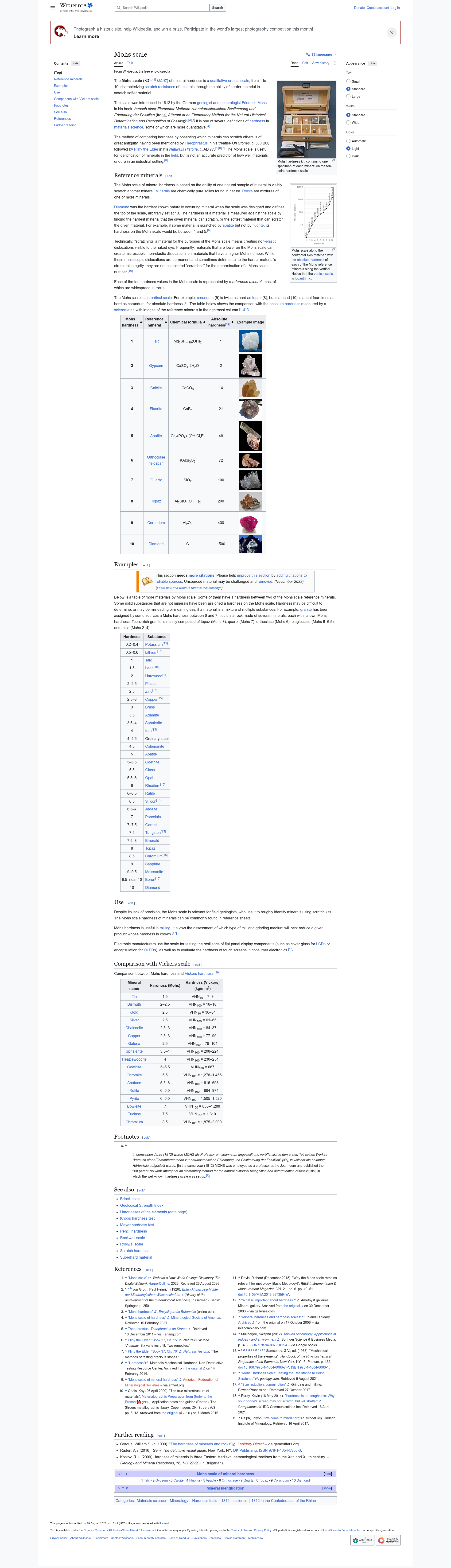
The screenshot_full_page from the same request, scaled down: the real file is 1920 x 6,675 px and 1,460,161 bytes.
pdf without pdf_options is one continuous page, byte-identical to our v1 url-to-pdf, and that page tops out at 60,000 px. Send pdf_options and it paginates, A4 portrait by default. Take the field names from the url-to-pdf reference: page_size (or page_width and page_height), orientation, margins (millimetres), scale, grayscale, header, footer. An unknown top-level key gets a 422 naming the field, but an unknown key inside pdf_options is dropped without a word and you get defaults. That inconsistency is ours, so check the PDF before you assume your options took.
Asking for pixels also changes how the page is fetched. Screenshot and PDF requests go straight to Chrome, while HTML-only reads try a fast fetch with a real Chrome TLS fingerprint first and escalate to a real headless Chrome render only when the page looks blocked or scores under 0.40. Every output in a request comes from the same capture, so adding a screenshot puts the rest of your outputs on the Chrome-rendered page too.
Signed URLs, retention and billing
Every file URL is signed for 900 seconds. GET /v2/perceive/{operation_id} hands back fresh ones, and it neither re-renders nor bills. The files themselves last as long as your plan keeps them (an hour on the free Founding plan, 30 days on Production). direct_download: true skips the JSON and streams the file as the response body. It only works with exactly one artifact output structured doesn't count).
The 1-hour cache is keyed on the URL plus the render options, outputs included. Markdown now and links in a second call is two reads and two ops. Both in one call is one. Cache hits bill too.
A challenge page, a login wall or an HTTP error gets you a verdict and no files. billed is false, and outputs and structured come back empty {} and null). A soft 404 still bills and still hands you files, so gate on render_quality before you trust a tidy link map of a missing page (the web reading API post has the gate).
When another tool fits better
As of October 2026, DIffbot's Extract renders the page, classifies it and returns typed JSON (Article, Product, Event, Job and more). If you want a product's price from pages you've never seen, it's built for that, and our prices extract isn't live.
Cloudflare's Browser Run (also checked in October 2026) splits the same jobs into an endpoint each /markdown, /links, /json, /scrape and more).
Mozilla's Readability and Trafilatura are Apache-2.0 libraries that pull the article out of HTML you already have. We run readability-lxml as a candidate in our main-content step, and when it wins, image URLs stay in the markdown. For JavaScript pages or screenshots you'd still have to run a browser alongside either library.
The perceive reference lists every parameter, and the url-to-pdf one has the pdf_options fields.